Install IPTV Smarters Pro on Windows

IPTV Smarters is an amazing video streaming player developed especially for end users who want to have the ability to watch live TV, VOD, series and TV catch-ups on their smart TV. This video player app is easy to use and yet very efficient with a powerful player, attractive and very impressive layout and above all user-friendly.
How does it work?
Step 1:
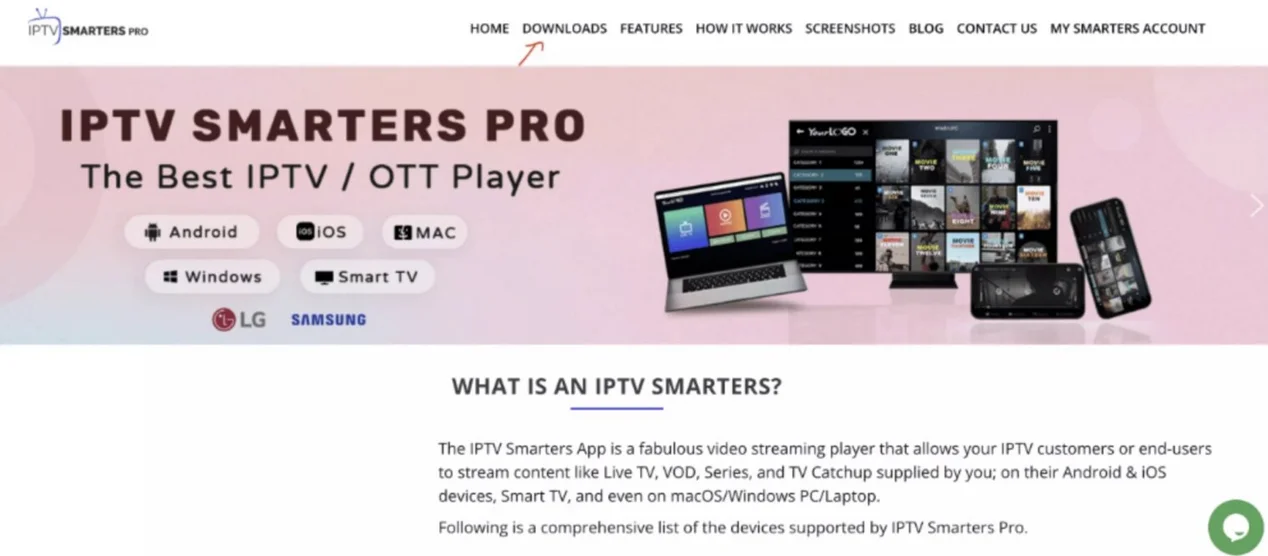
Go to the search engine and type « IPTV Smarters Pro ».
then open the website https://www.iptvsmarters.com .
Step 2:
Select Downloads in the menu.
Step 3:
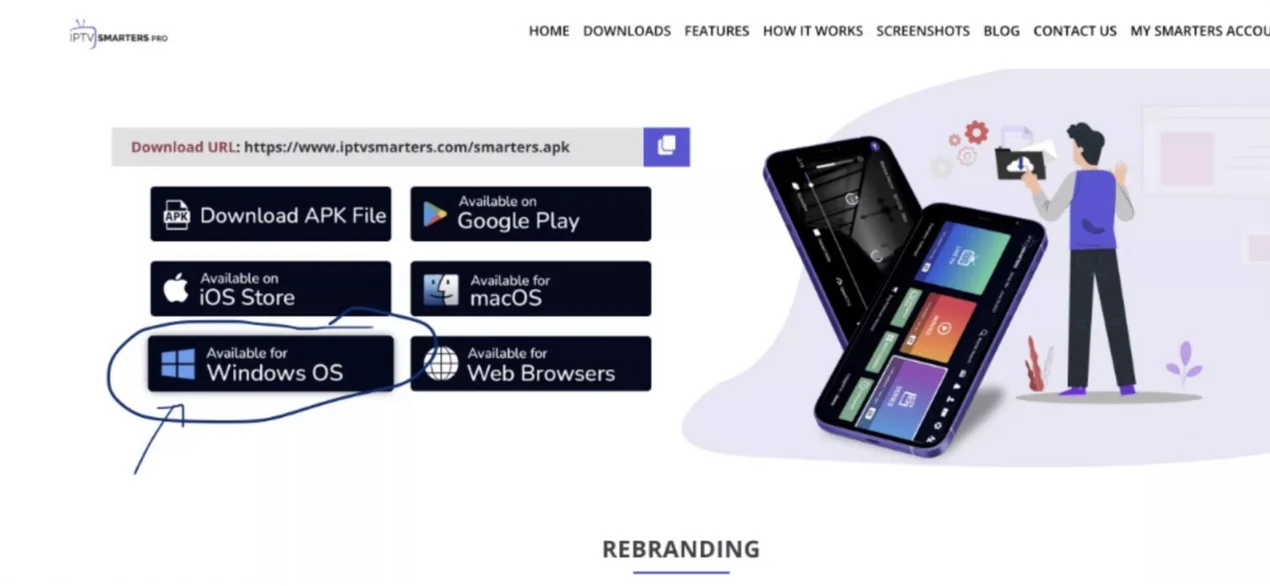
Download the new version of IPTV Smarters Pro.
Step 4:
Once the file download is complete, click on the executable file
Step 5:
Windows will ask for permission to open this file. Select « Yes ».
Step 6:
The file will now begin its installation. This should take between 1 and two minutes.
Step 7:
Once the installation is complete, start the IPTV Smarters program. Click on « Add a new user » and select « Connection with Xtream Codes API ». Enter your credentials (username, password and portal URL) for your IPTV service.
Step 8:
You are now ready to start watching content on IPTV Smarters Pro !
